
Rotations simplify the process of creating recurring schedules and offer a time-saving alternative to creating schedules from scratch.
Rotations serve as shift templates, enabling you to create, save, and reuse shift patterns for future schedules. Moreover, they can be used to ensure fair work distribution by suggesting preferred employees to work particular shifts in a specific order or pattern.
There are two primary ways to use rotations:
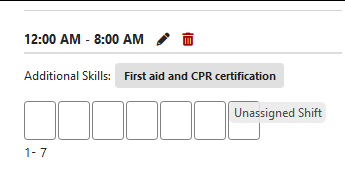
1. Patterns of standard shifts: Create templates that define the structure of your standard shifts. Use these templates to generate new unassigned shifts, which can then be assigned to employees.
Example: 7-day rotation without rotation employees. No prioritization.
2. Patterns of standard shifts with rotation employees: Create templates of your standard shifts and choose specific employees (rotation employees) to work specific shifts over a set period. The system will prioritize the rotation employees for the assignments.
Example: 28-day rotation with rotation employees defined with a particular pattern. The system will prioritize them for the assignments.

In summary, envision rotations (whether or not they involve rotation employees) as permanent building blocks for your schedules. These blocks constitute the core of your schedule, which, when combined with any necessary adjustments or additions, will result in your finalized schedule.


